SmartSchool OS — AI-Powered School Operating SystemSmartSchool OS — AI-Powered School Operating System
FeaturesPricingAboutDocsSupport
LoginStart free
SmartSchool OS — AI-Powered School Operating SystemSmartSchool OS — AI-Powered School Operating System

One AI-powered operating system for school reports, exams, analytics, and growth — replacing spreadsheet chaos with clarity.

Start free

Product

  • Features
  • Pricing
  • Documentation

Resources

  • Get started
  • Support
  • About

Legal

  • Privacy Policy
  • Terms of Service

© 2026 SmartSchool OS. All rights reserved.

Powered by Globull

Documentation/Administration

Data export and backup

Your data is always yours. Export anything at any time, schedule recurring exports, and rest assured that daily backups protect everything.
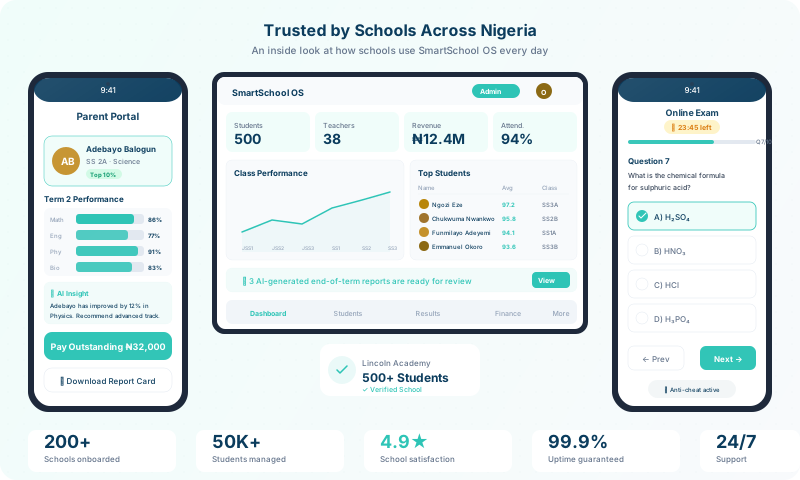
Data export and backup interface

Export formats

Choose the format that works best for your use case:

CSV

Lightweight, works with any spreadsheet tool or data pipeline.

Excel (.xlsx)

Formatted tables with multiple sheets per export category.

PDF

Print-ready reports for regulatory submissions or meetings.

Exports include student records, scores, attendance data, and financial reports. Generated on-demand from the Exports panel.
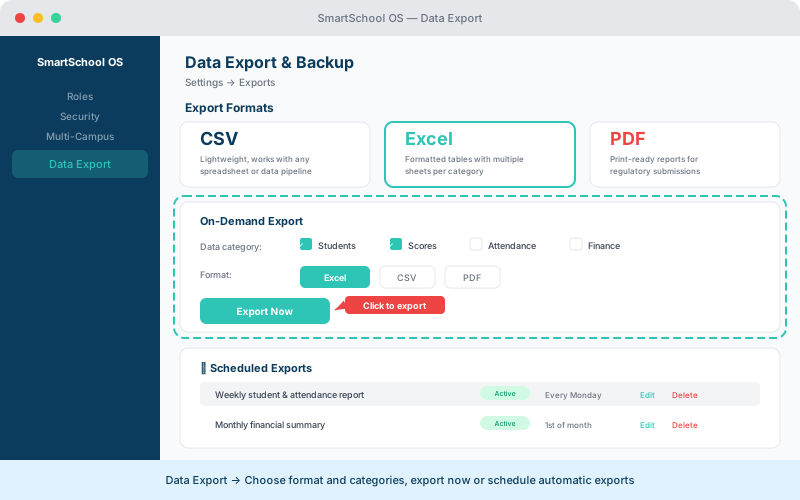
Data export panel showing format options, category checkboxes, and scheduled exports
Choose your format and data categories, then export now or set up a recurring schedule.

Scheduled exports

Automate recurring exports for archival or compliance:

  1. 1Go to Settings → Exports → Schedule.
  2. 2Choose a frequency: weekly or monthly.
  3. 3Select the data categories to include.
  4. 4Optionally add email recipients who should receive the export.
  5. 5Save — exports run automatically and appear in your storage.

💡 Tip

Schedule a monthly full export for compliance. It creates an off-platform archive you can reference if needed.

Data portability

SmartSchool OS supports complete data export in widely-used, non-proprietary formats. You are never locked in — export everything and migrate freely if you choose.

Backup strategy

Platform-level backups run automatically:

  • Daily automated backups with point-in-time recovery.
  • Backups stored in geographically distributed data centres.
  • 30-day retention window for disaster recovery.
  • Restoration requests processed within 4 hours.

⚠️ Note

Platform backups are managed by SmartSchool OS. If you need a personal off-platform backup, use the scheduled export feature above.


← Multi-campus setupBack to documentation →