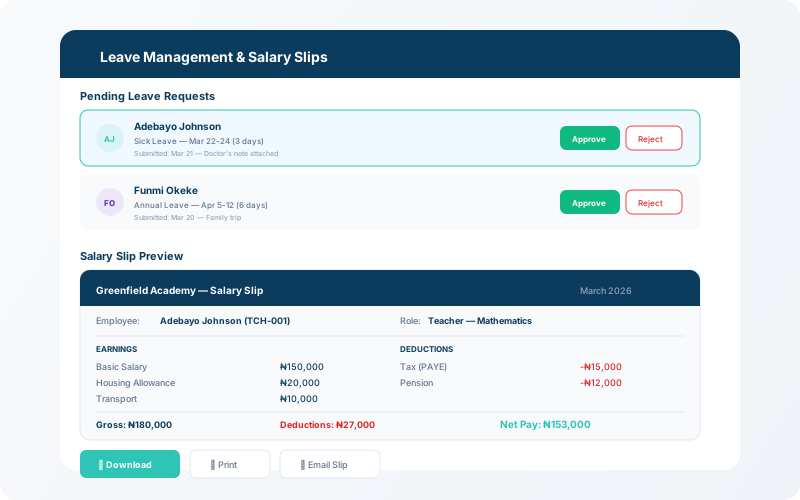
Maintain a complete staff directory, run monthly payroll with one click, manage leave requests, and generate downloadable salary slips.
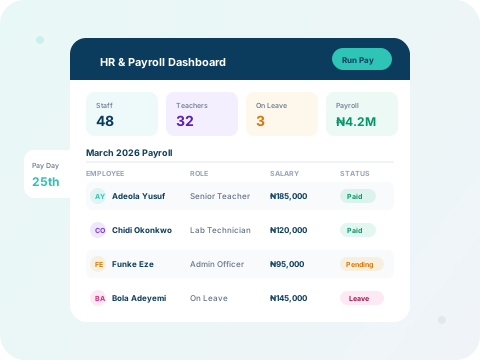
What you'll learn:
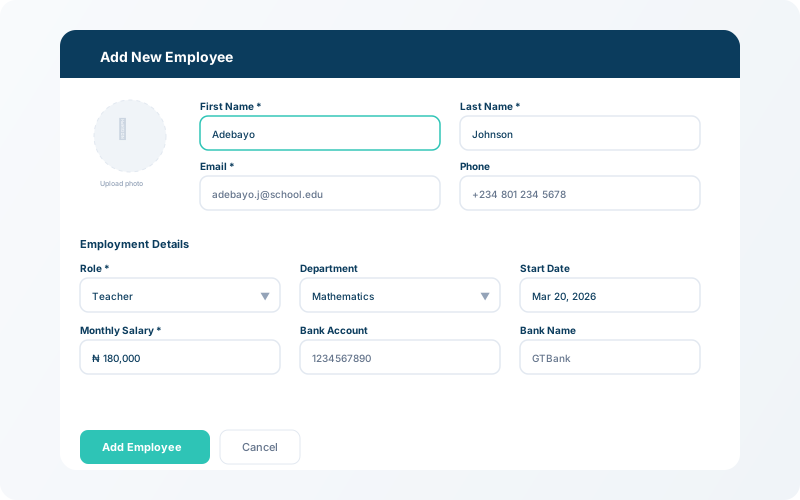
Go to HR → Staff → Add Employee. Enter the employee's name, role, department, salary, bank details, and start date. The directory supports filtering by role and department.
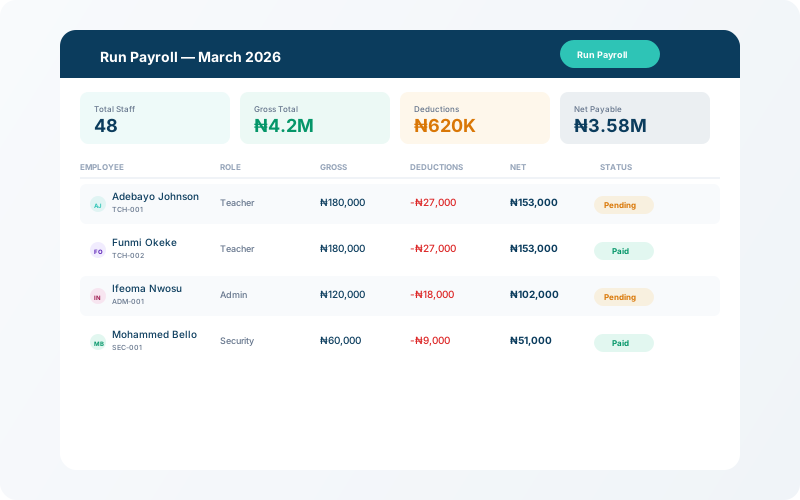
Click HR → Payroll → Run Payroll to generate the monthly payroll. The system calculates net pay based on base salary, deductions, and leave records. Review the summary before confirming.
💡 Tip
Payroll runs are logged with timestamps — you can view and reprint any past month's payroll at any time.
Staff members can submit leave requests which administrators approve or reject. Approved leave is automatically factored into payroll. Salary slips can be generated and downloaded as PDFs.