SmartSchool OS — AI-Powered School Operating SystemSmartSchool OS — AI-Powered School Operating System
FeaturesPricingAboutDocsSupport
LoginStart free
SmartSchool OS — AI-Powered School Operating SystemSmartSchool OS — AI-Powered School Operating System

One AI-powered operating system for school reports, exams, analytics, and growth — replacing spreadsheet chaos with clarity.

Start free

Product

  • Features
  • Pricing
  • Documentation

Resources

  • Get started
  • Support
  • About

Legal

  • Privacy Policy
  • Terms of Service

© 2026 SmartSchool OS. All rights reserved.

Powered by Globull

Documentation/Report card generator

Report card generator

Generate professional report cards for entire classes at once — with auto-calculated grades, AI-written teacher comments, and downloadable PDFs.
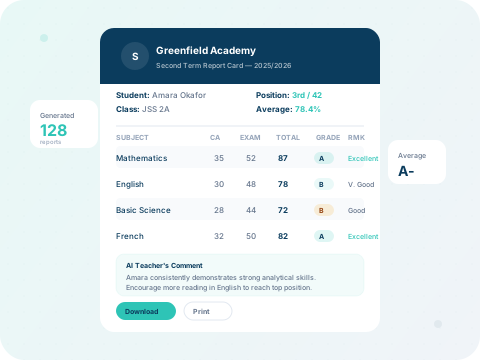
SmartSchool OS report card preview with grades, scores, and AI comment

What you'll learn:

1. Set up templates
2. Bulk generate
3. AI comments
4. Download PDFs

Step 1 — Configure report card templates

Go to Report Cards → Templatesto set up your school's report card layout. Configure the grading scale (e.g., A–F or percentages), choose which fields to show, and add your school logo and header.
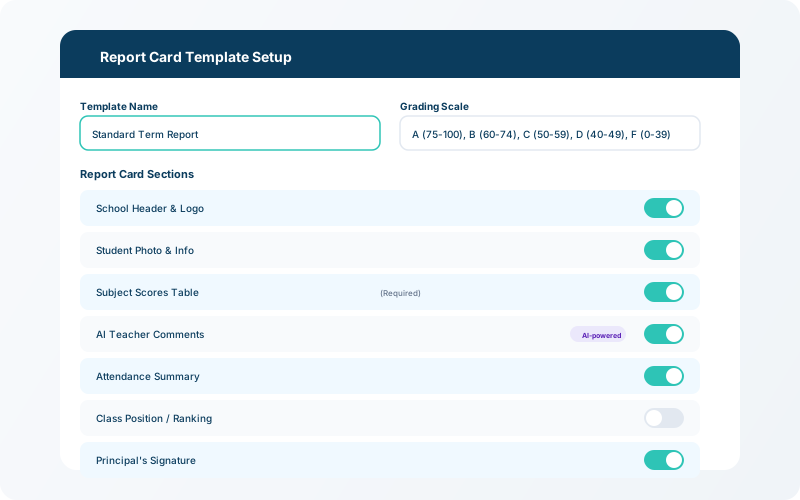
Report card template editor showing grading scale, field toggles, and school logo upload
Configure the report card template — set grading scale, fields, and branding.

Step 2 — Generate report cards in bulk

Select the class, term, and session, then click Generate All. The system pulls scores from the exam module, auto-calculates totals and grades, ranks students, and generates a report card for each student.

💡 Tip

AI-powered teacher comments are generated automatically based on each student's scores — review and edit before publishing.
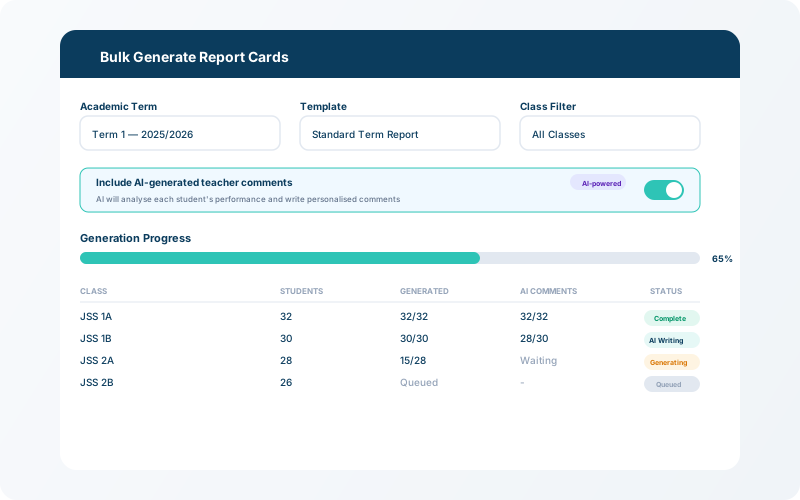
Bulk report card generation screen with class and term selectors and progress bar
Bulk generation — select class and term, then generate all report cards at once.

Step 3 — Review, download, and print

Preview each report card before publishing. Download individual PDFs or a combined PDF for the entire class. Parents can also view report cards directly in their portal.
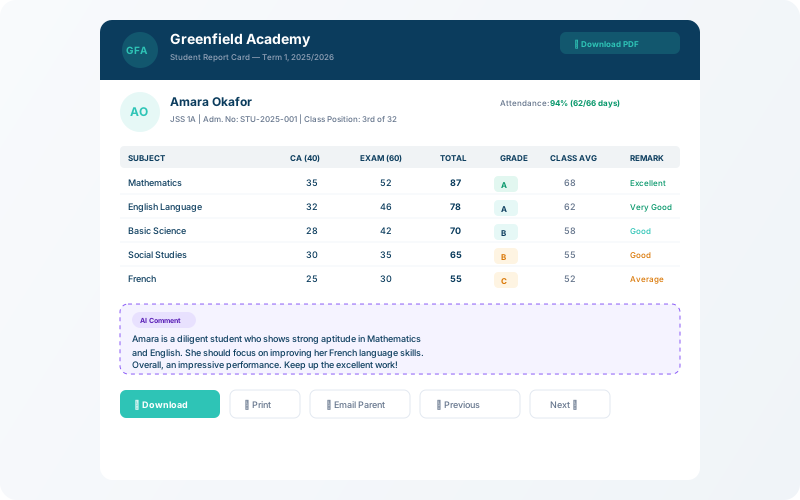

Report card preview with download PDF and print buttons
Preview and download — individual or batch PDF export with one click.