Organise students into classes, assign form teachers, and manage end-of-year promotions — all from a single dashboard.
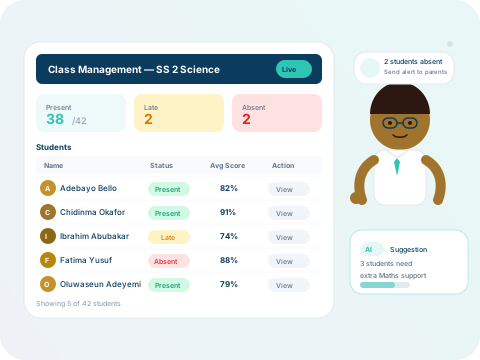
Classes live under departments and serve as the primary organising unit for students, teachers, and assessments.
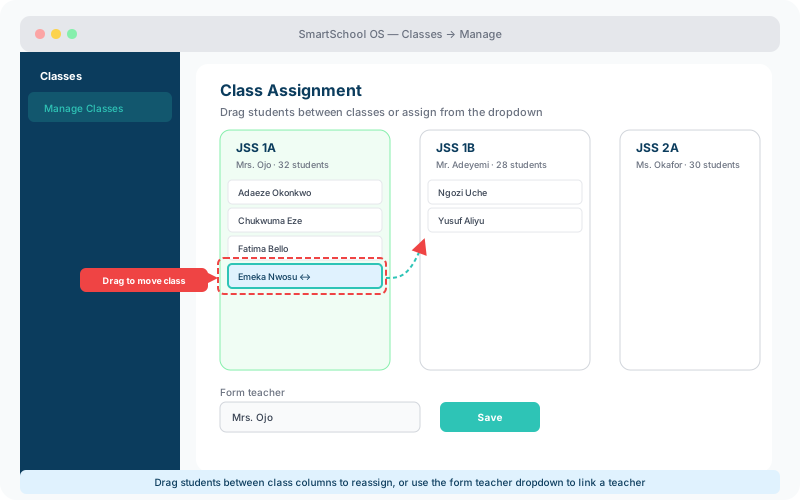
Assign students individually from their profile, or use bulk assignment to move an entire group at once. SmartSchool OS includes built-in safeguards:
No double-assignment
A student cannot belong to two classes simultaneously.
Capacity tracking
Real-time occupancy vs. limit is shown on every class card.
Bulk move
Select multiple students and reassign them to a different class in one click.
At the end of a session, the promotion wizard moves students to the next class in bulk. You retain full control:
💡 Tip
Always finalise report cards and export results before running promotions. Promoted students move into the new session context.
SmartSchool OS focuses on assessment and reporting, but class metadata — subjects, teachers, and periods — is structured for seamless integration with external timetabling tools via the REST API.