The SmartSchool OS mobile app caches essential data locally so teachers can work without internet — attendance, student profiles, and timetables are always accessible.
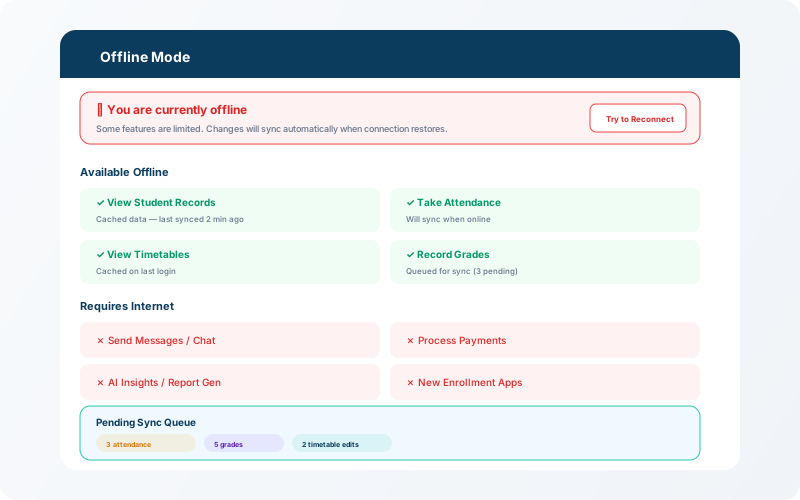
When the mobile app detects loss of internet connectivity, it switches to offline mode automatically. A banner appears at the top of the screen showing the connection status and the number of pending changes in the sync queue.
Auto-detect
The app monitors connectivity and switches modes seamlessly.
Local cache
Student lists, timetables, and attendance data are cached on device.
Sync queue
Changes are queued locally and pushed when connectivity returns.
When connectivity returns, the app automatically syncs all queued changes to the server. A brief notification confirms how many items were synced. Conflicts (e.g. attendance modified by another user while offline) are resolved by keeping the most recent change.
💡 Tip
For the best offline experience, open the app while connected at least once per day so the local cache stays fresh.