SmartSchool OS is built with enterprise-grade security. Here's what protects your data and how to configure security policies for your workspace.
Secure token-based authentication with multiple layers of protection:
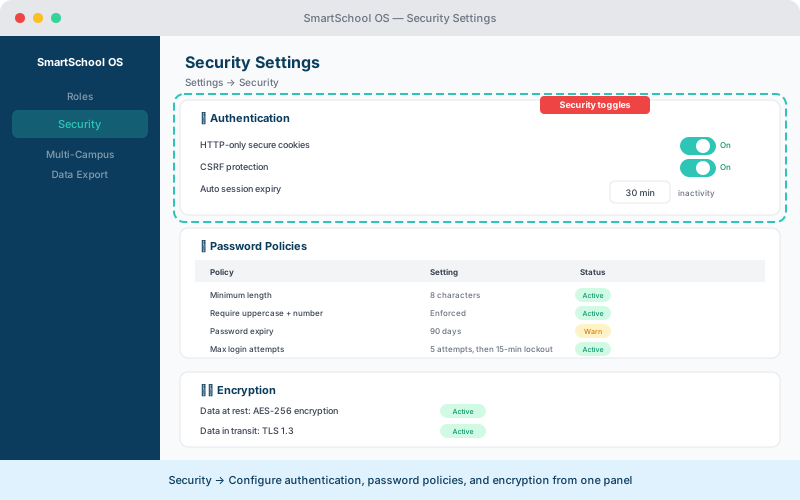
Enforce strong password requirements from Settings → Security:
| Policy | Default | Range |
|---|---|---|
| Minimum length | 8 characters | 8–32 |
| Complexity | Mixed case + digit | Configurable |
| Lockout threshold | 5 failed attempts | 3–10 |
| Expiration | 90 days | 30–365 or never |
All data is encrypted both in transit and at rest:
In transit
TLS 1.3 for all HTTP traffic. SSL certificates for database connections.
At rest
AES-256 encryption for stored data. Encryption keys rotated periodically.
The platform enforces strict browser-level protections:
💡 Tip
Security headers are enforced automatically — no configuration needed. They cannot be weakened from the admin panel.